
User Guide / Getting started
Add a branch or warehouse
Add another location and give it a till.
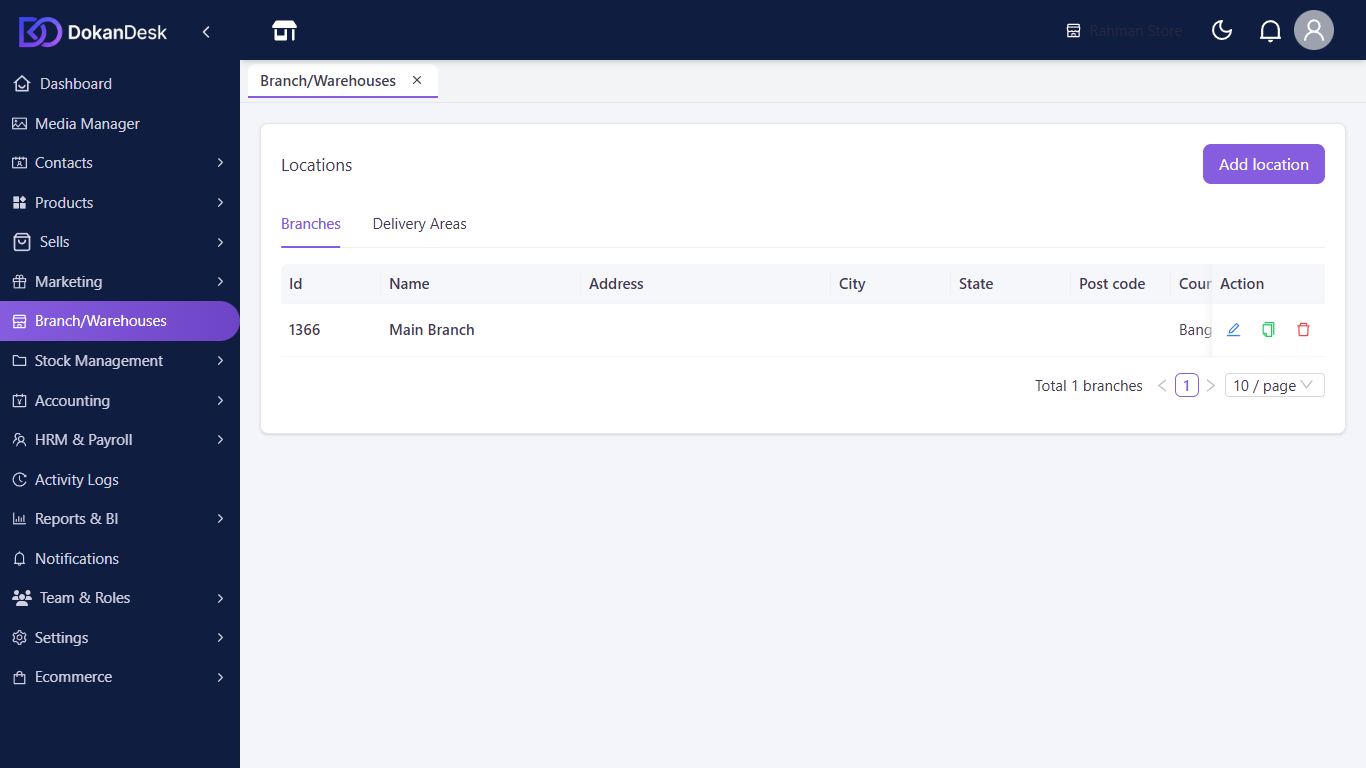
Open your locations
Click Branch/Warehouses in the menu.
Add the location
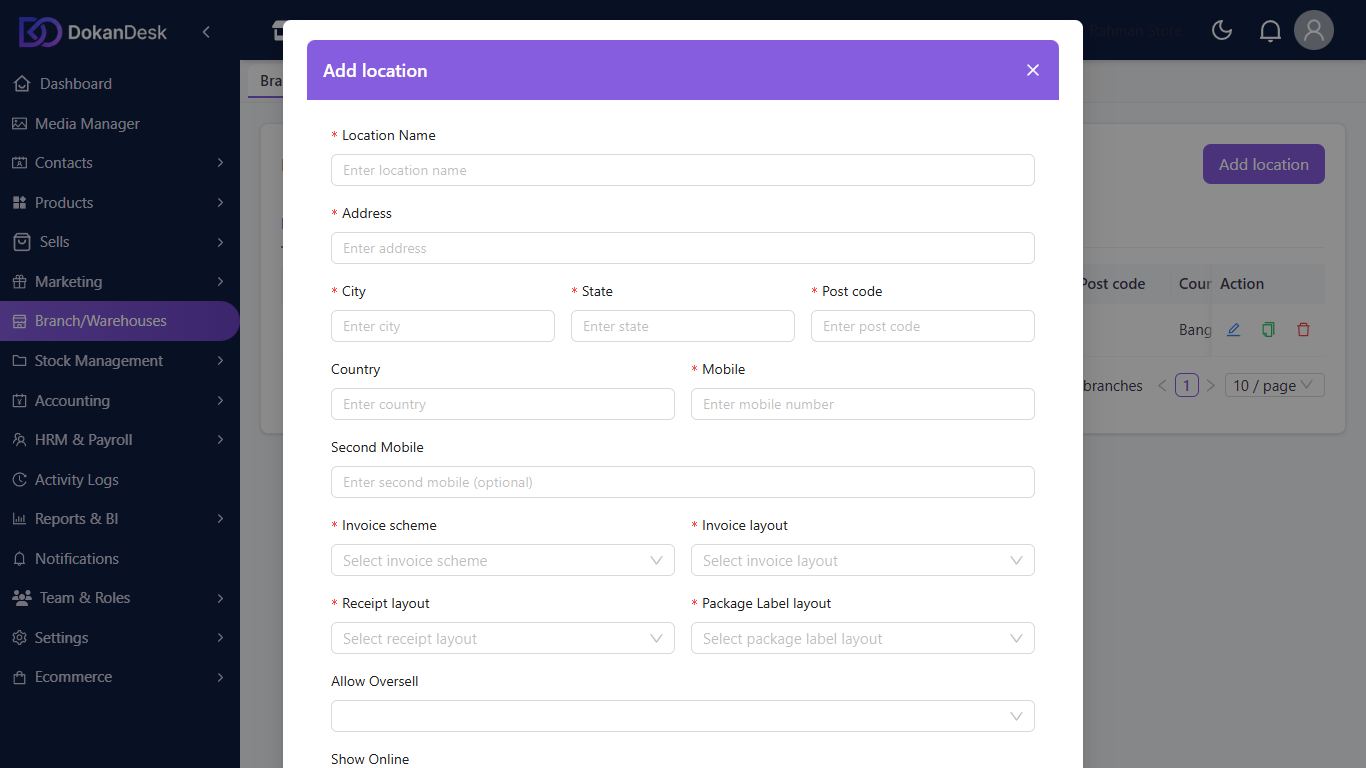
Click Add location. Fill in the marked fields: Location Name, address details, Mobile and the layouts for invoices and receipts. Click Submit.
Give it a till
Open Settings, then Registers, and click New register for the new branch.
Put staff there
In Team & Roles, edit a person with the pencil icon and choose their Branches.
Good to know
- A warehouse is added the same way as a branch.
- If you see Upgrade beside the menu item, your plan has one location. Compare plans under Subscription & Billing.
Pictures come from a sample shop. Your screen may differ slightly depending on your plan and permissions.
Still stuck? Tell us what happened and we'll help. Contact us