
User Guide / POS and billing
Print a receipt
Thermal receipts, A4 invoices and reprints.
Print after the sale
When payment is done, the receipt opens. Choose 80mm or 58mm and click Print.
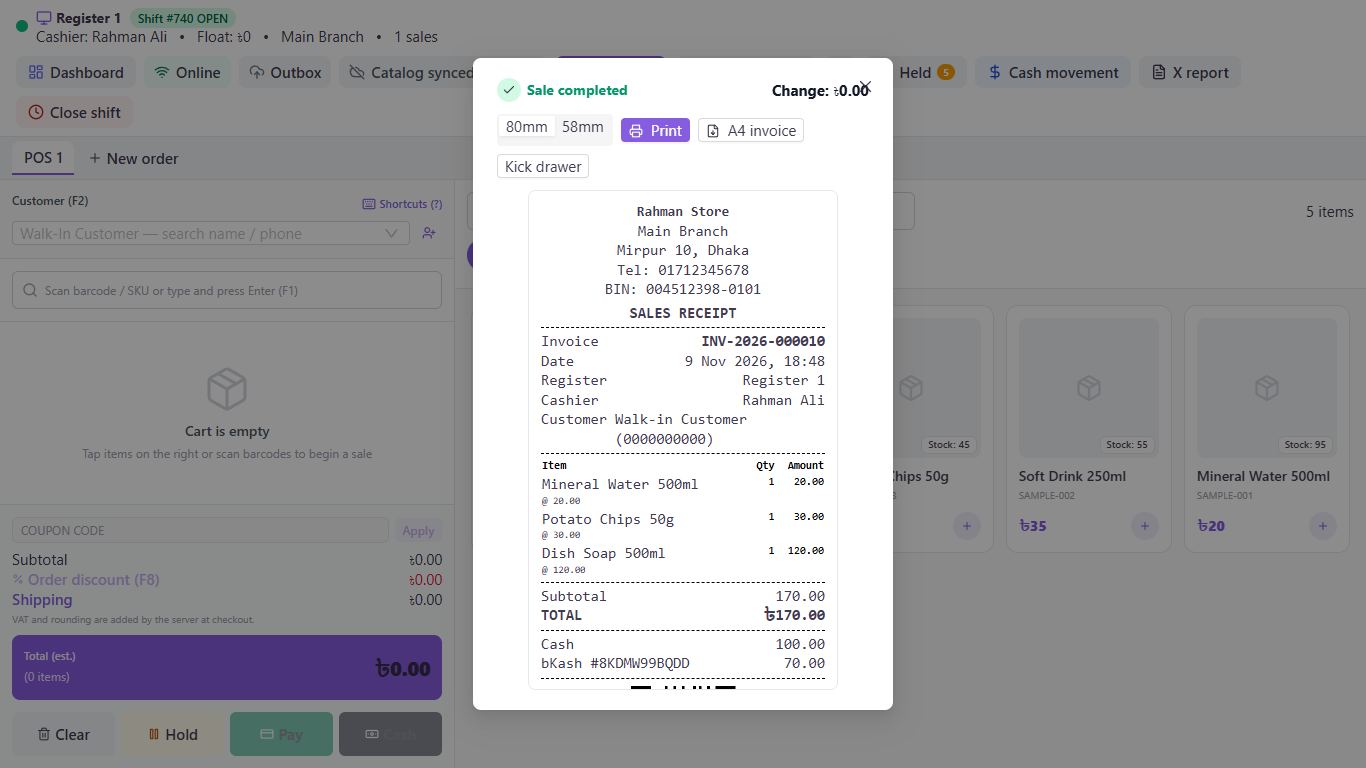
Get an A4 invoice
Click A4 invoice to download it as a PDF.
Reprint an old sale
Go to Sells, then All Sells, open the sale and click Reprint or Invoice PDF.
Choose what prints
In General Settings, the Business profile tab has your logo, BIN, header and footer. The POS tab sets the paper width, the VAT breakdown and printing by itself after each sale.
Good to know
- A receipt reads TAX INVOICE when it has VAT on it and SALES RECEIPT when it doesn't.
Pictures come from a sample shop. Your screen may differ slightly depending on your plan and permissions.
Still stuck? Tell us what happened and we'll help. Contact us