
User Guide / POS and billing
Sell when the internet drops
Keep billing and let sales catch up later.
Get ready while you're online
Sign in, open the POS and open a shift. Your products download by themselves. Catalog synced at the top shows when it last happened.
Know you're offline
A yellow bar shows Offline and how many sales are waiting. Prices are estimates until the sale reaches the server.
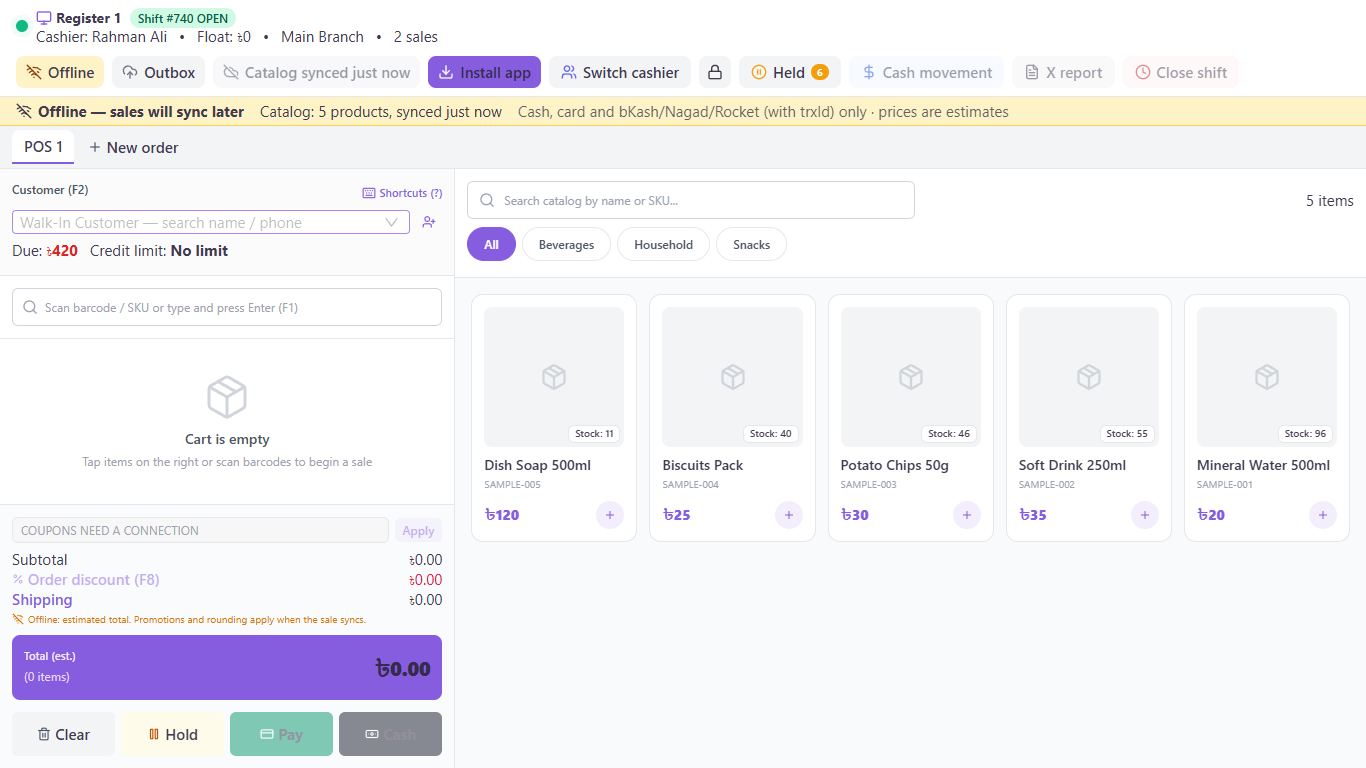
Keep selling
Bill as usual and take cash, card, bKash, Nagad or Rocket. Click Queue sale & print provisional to save the sale and print a temporary receipt.
Let it catch up
When the connection returns, sales go up by themselves in order. To do it right away, open Outbox and click Sync now.
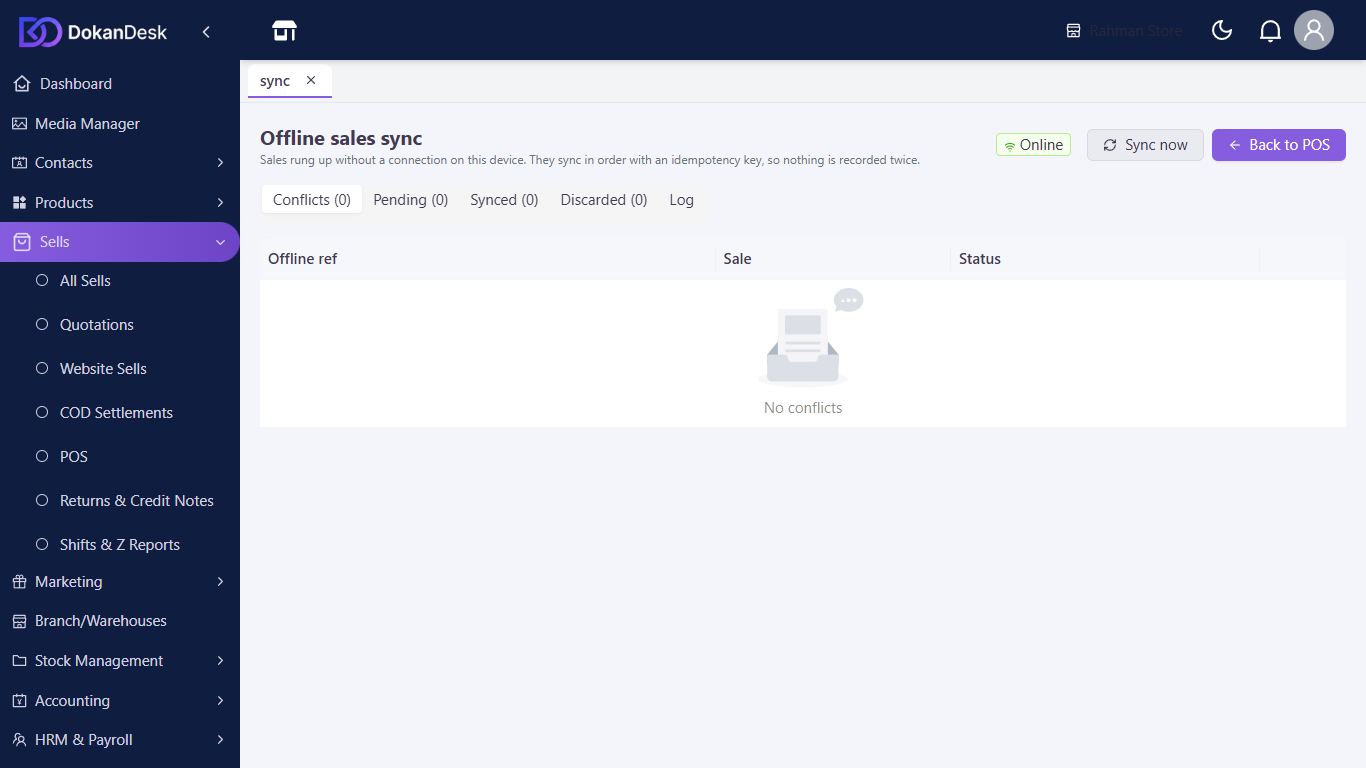
Deal with problems
If a sale can't go through, you'll be told. Open Outbox, then Conflicts, where a manager can retry, edit or discard it.
Good to know
- A shift must already be open when the connection drops.
- Coupons, gift cards, points, store credit, due sales, holding, cash movements, X reports and closing a shift need a connection.
- A bKash, Nagad or Rocket sale still needs its transaction ID.
- Up to 6,000 products and 2,000 customers are kept on the device.
- The final invoice number is given when the sale syncs.
- Unlocking the till needs a connection. On a till with weak internet, set the idle lock to Never.
Pictures come from a sample shop. Your screen may differ slightly depending on your plan and permissions.
Still stuck? Tell us what happened and we'll help. Contact us