
User Guide / POS and billing
Discounts, coupons and offers
Reduce a line, a whole bill, or let offers apply by themselves.
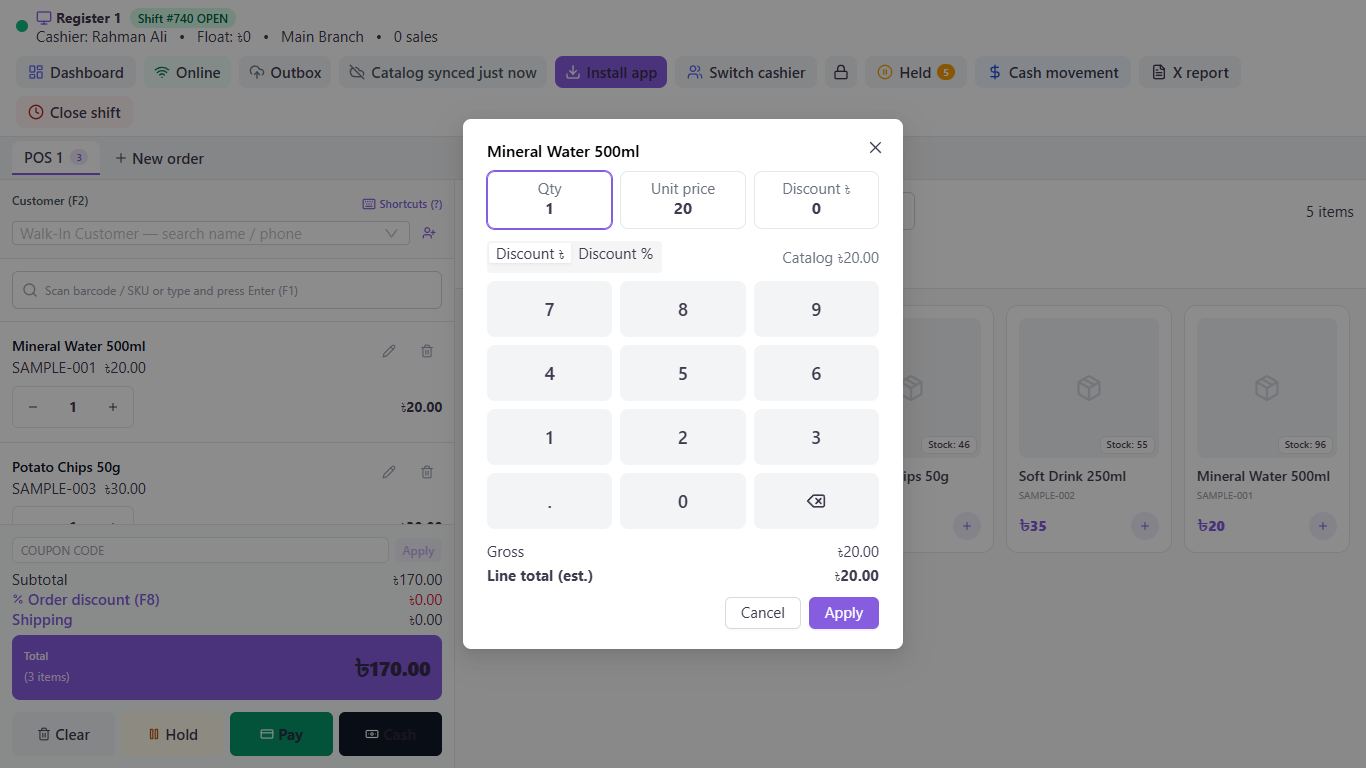
Discount one item
Click the pencil on the line, or select it and press Enter. Enter the amount under Discount, choose Discount ৳ or Discount %, and click Apply.
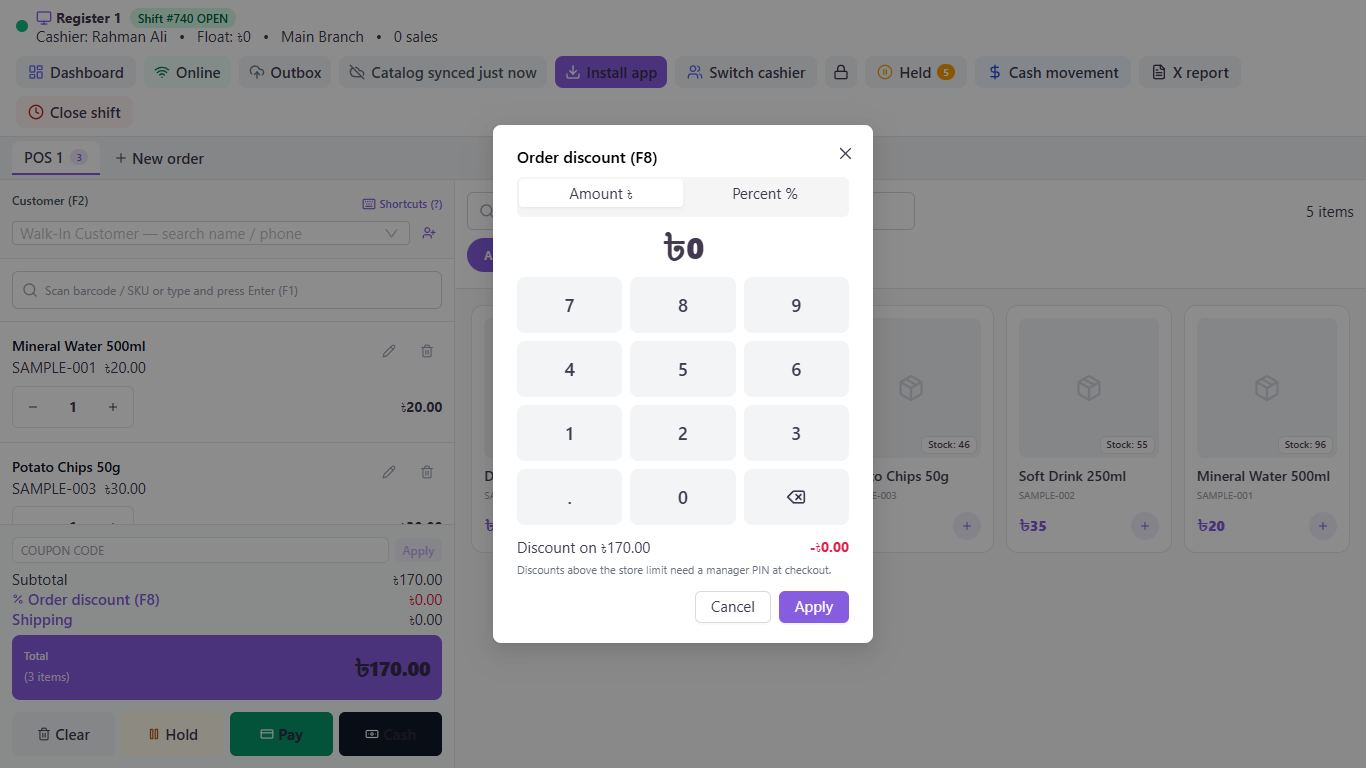
Discount the whole bill
Click Order discount (F8), choose Amount ৳ or Percent %, enter it and click Apply.
Use a coupon
Type it under Coupon code and click Apply. Make coupons under Marketing, then Coupons, with New coupon.
Let offers apply themselves
Create them under Marketing, then Promotions, with New promotion. They appear on the bill without anyone doing anything.
Change a price
Edit Unit price in the same window as a line discount. Without the permission, a manager's PIN is asked for at payment.
Good to know
- A manual discount above Maximum discount (%) in your settings needs a manager's PIN.
- Coupons need an internet connection.
Pictures come from a sample shop. Your screen may differ slightly depending on your plan and permissions.
Still stuck? Tell us what happened and we'll help. Contact us