
User Guide / POS and billing
Hold a bill and come back to it
Park a bill while the customer picks up something else.
Hold it
Click Hold or press F4. The bill clears so you can serve the next person.
Find it again
Click Held at the top. The number beside it shows how many are waiting.
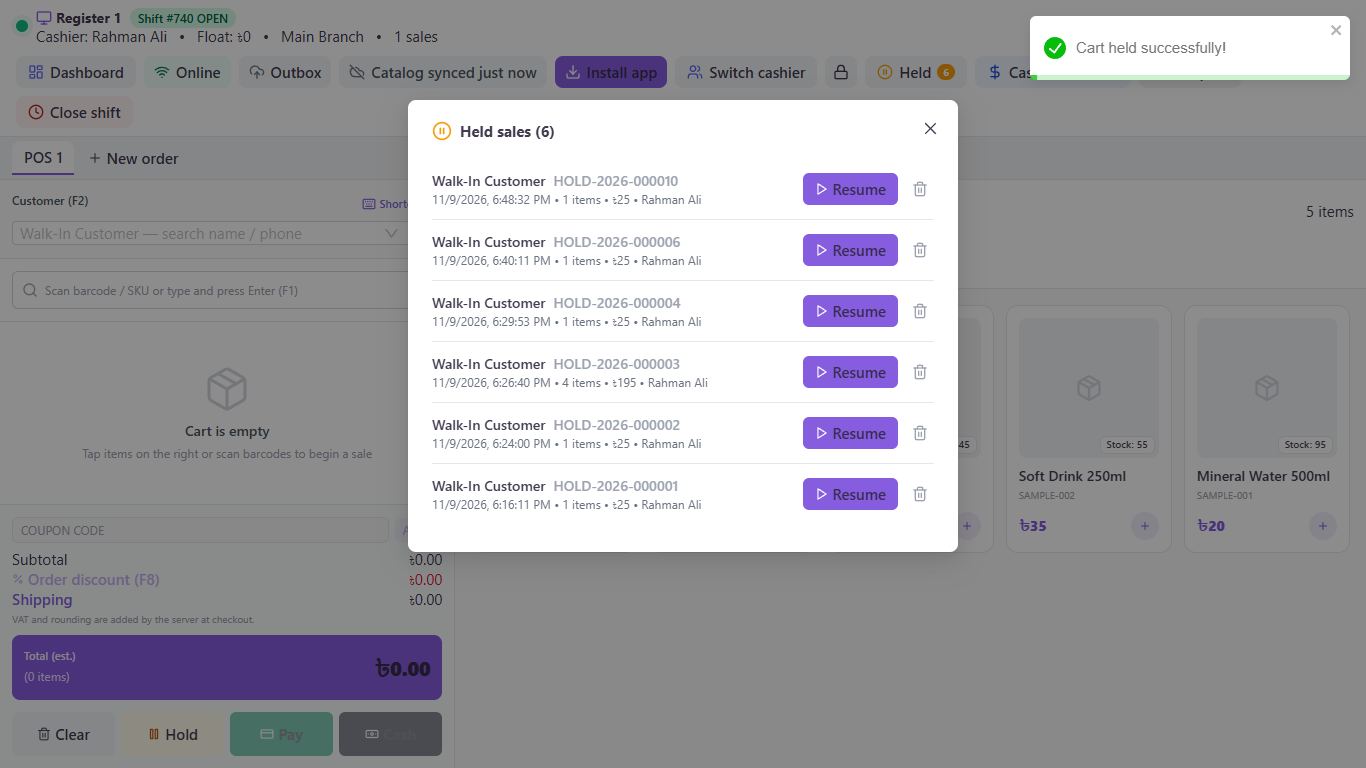
Carry on
Click Resume to bring the bill back, or the bin icon to throw it away.
Good to know
- Holding needs an internet connection. When offline, use New order to open another tab instead.
- A held bill keeps its items, coupon, order discount and shipping. Pick serial numbers again when you resume, because they aren't reserved while the bill waits.
Pictures come from a sample shop. Your screen may differ slightly depending on your plan and permissions.
Still stuck? Tell us what happened and we'll help. Contact us