
User Guide / POS and billing
Keyboard shortcuts
Bill faster without the mouse.
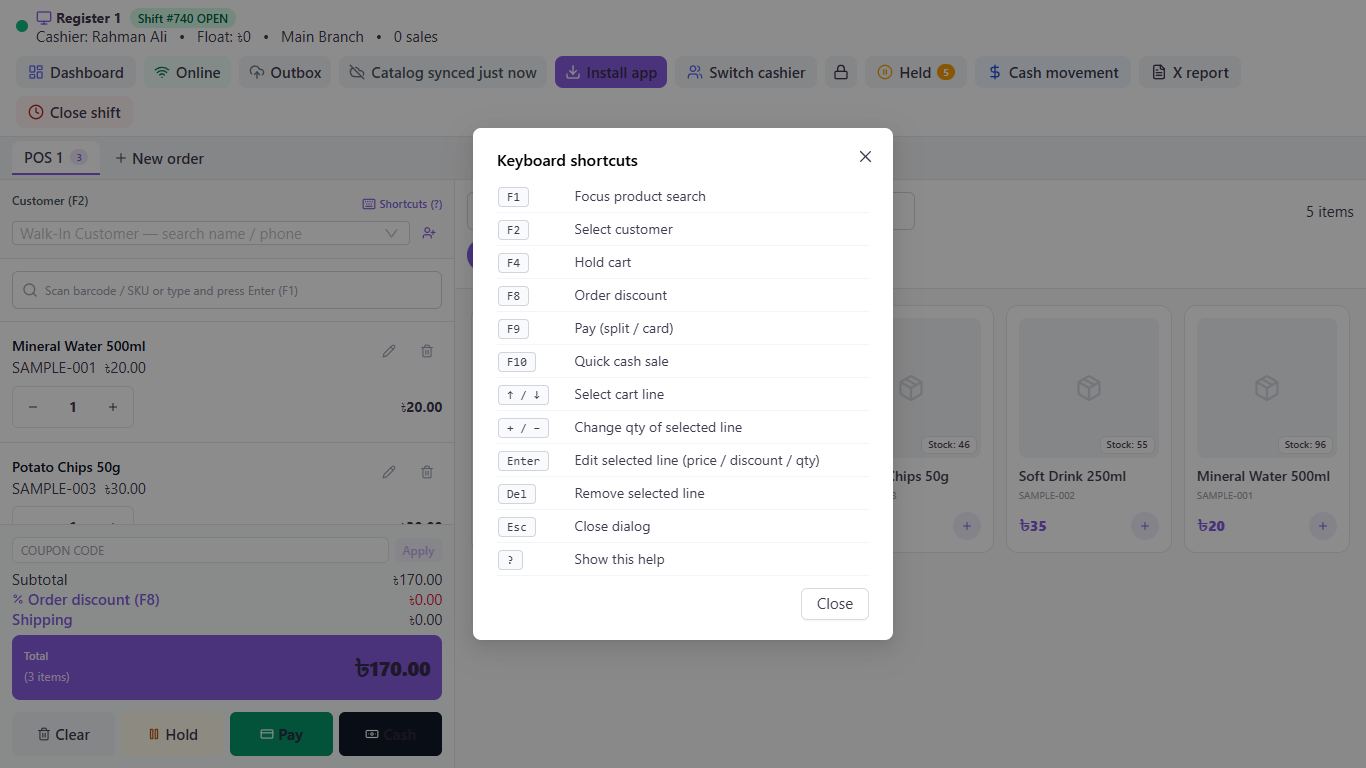
See the list any time
Press ? or click Shortcuts (?) in the POS.
Find products and customers
F1 goes to product search. F2 goes to customer search.
Work on the bill
↑ and ↓ select a line. + and - change its quantity. Enter edits its price, discount and quantity. Del removes it.
Finish the sale
F4 holds the bill. F8 adds an order discount. F9 opens payment. F10 completes a quick cash sale. Esc closes a window.
Good to know
- Line keys only work when you aren't typing in a box. The scan box is selected by itself, so click somewhere else first.
Pictures come from a sample shop. Your screen may differ slightly depending on your plan and permissions.
Still stuck? Tell us what happened and we'll help. Contact us